The Investigation Insights – MXToolbox integration enables analysts to quickly search across MXToolboxes mx, blacklist, http and https data sources. Allowing them to have quick insights into the DNS records and history.
MXToolbox Data Overview Example
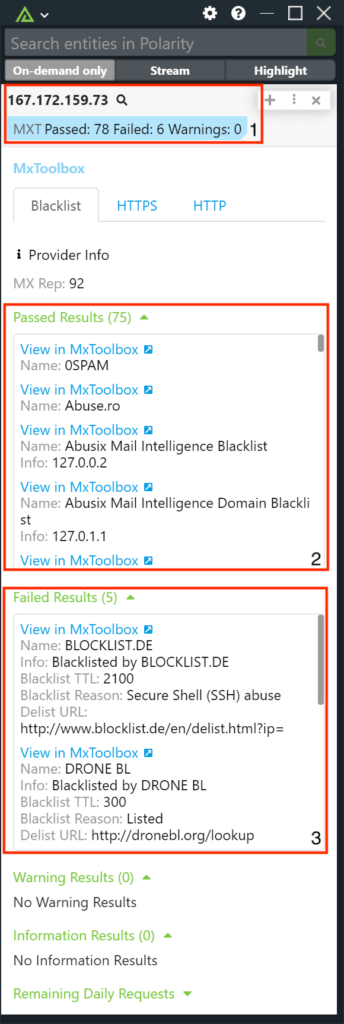
- Summary Tags: When an analyst runs a search using the MXToolbox integration they will quickly know the number of passed/failed and warning results from MXToolbox’s data sources. Enabling analysts to quickly be able to triage if the domain/IP has been blocklisted anywhere.
- Passed Results: When drilling into the details of the integration analysts can quickly triage through the different passed results and then pivot out to MXToolbox for more context.
- Failed Results: When drilling into the details of the integration analysts can quickly triage through the different failed results and then pivot out to MXToolbox for more context. As well as see additional information such as name, blacklist reasons and additional information.