Cortex XSOAR with Investigation Insights
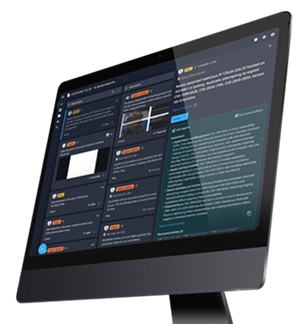
The Investigation Insights — Cortex XSOAR integration enables analysts to quickly get an understanding of indicators and any associated incidents. As well as providing them the opportunity to run a playbook against the indicator enabling them to take quick actions when necessary.
Examples
Cortex XSOAR Data Overview – Summary Tags and Indicators
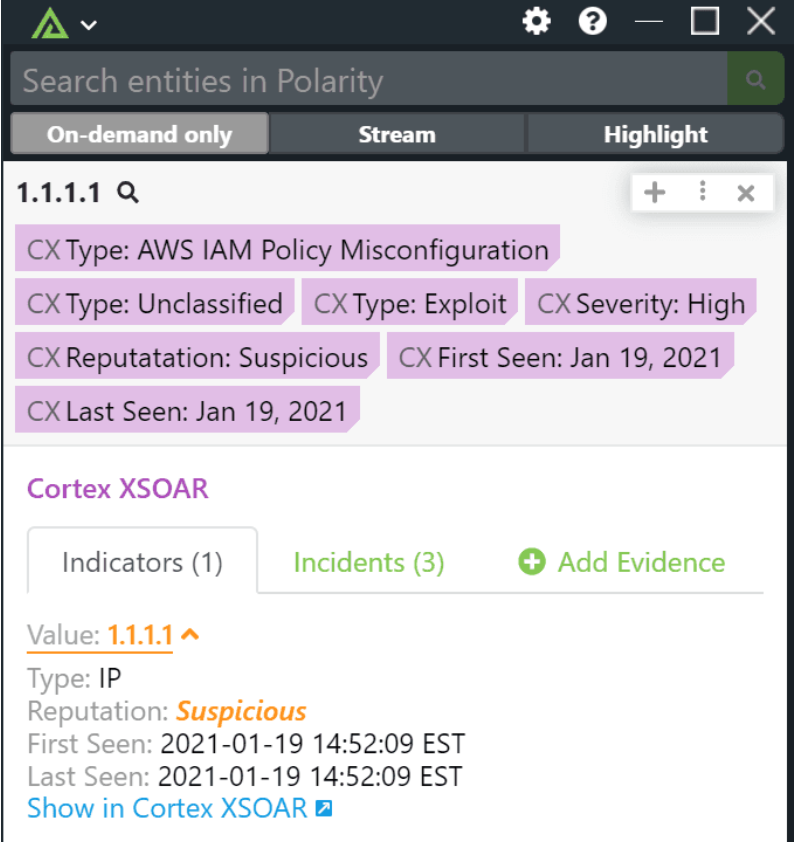
Summary Tags: When an analyst first runs a search they will quickly be able to determine the indicator’s severity and reputation, when it was seen, and any incident details about the indicator.
Indicators: When drilling into the details of the Cortex XSOAR integration analysts will be able to get information about the indicator including number of related incidents, its reputation, and when it was seen.
Cortex XSOAR Data Overview – Incidents
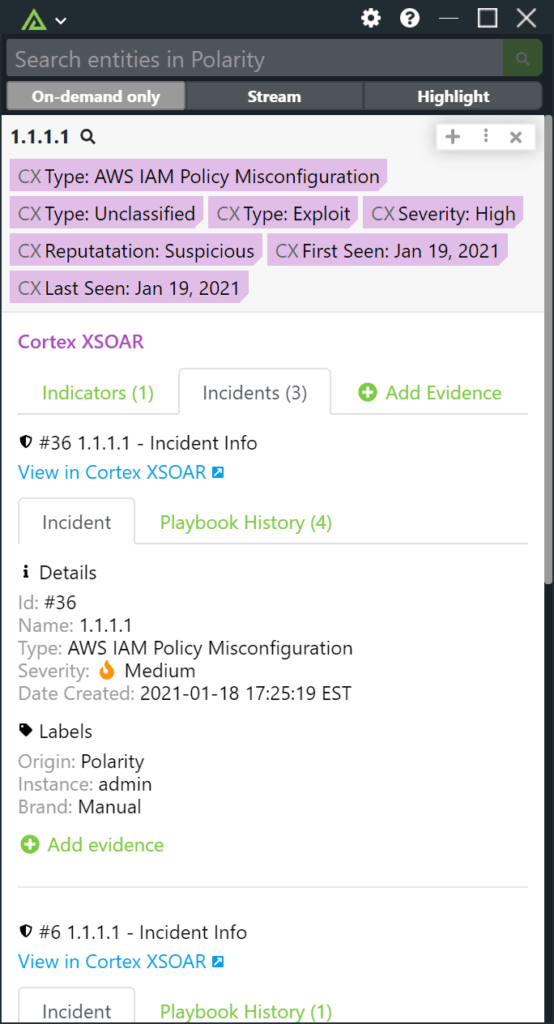
Incidents: When drilling into the details of an entity, analysts can quickly see any incidents the entity is associated with. Analysts can quickly see the details, type of incident and severity. Then can pivot out to an incident. Analysts will be able to see up to ten related incidents.
Cortex XSOAR Data Overview – Playbooks
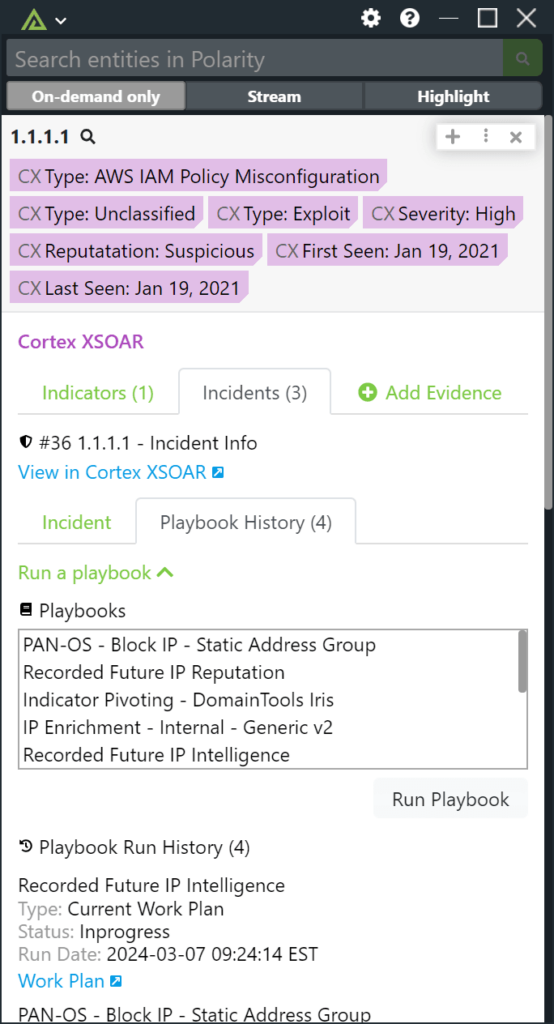
Playbooks: When looking at incidents, analysts can also see the history of playbooks that have been associated with that incident. As well as run a playbook and associate it with that incident. Enabling analysts to quickly understand the history of what has happened with an entity as well as take immediate actions.
Cortex XSOAR Data Overview – Create Indicator
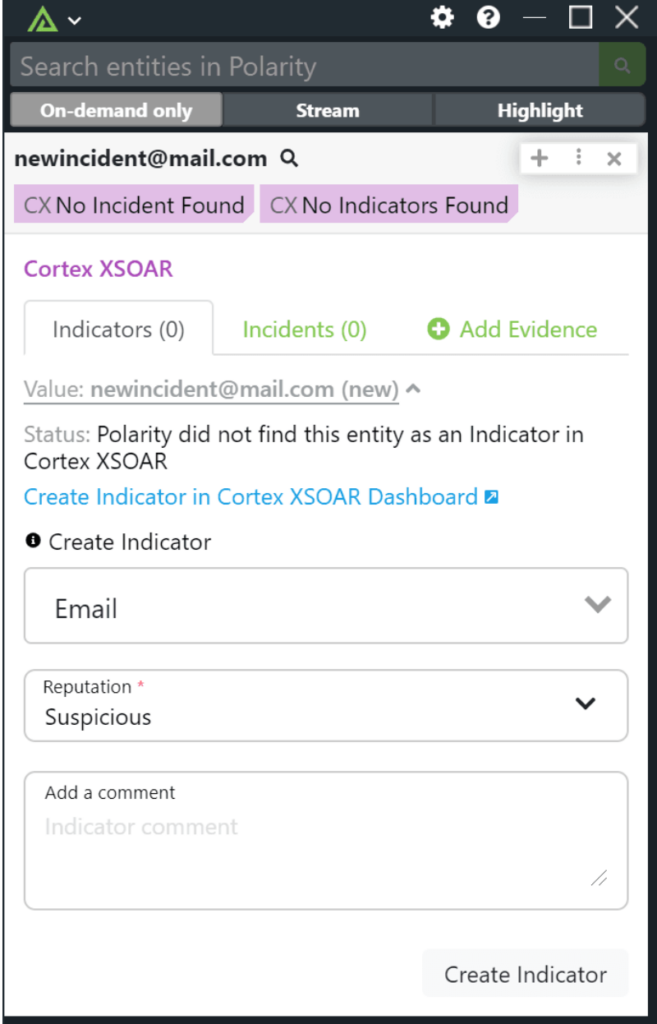
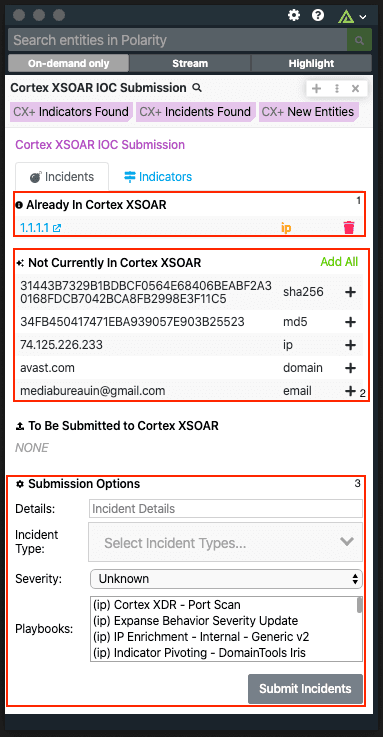
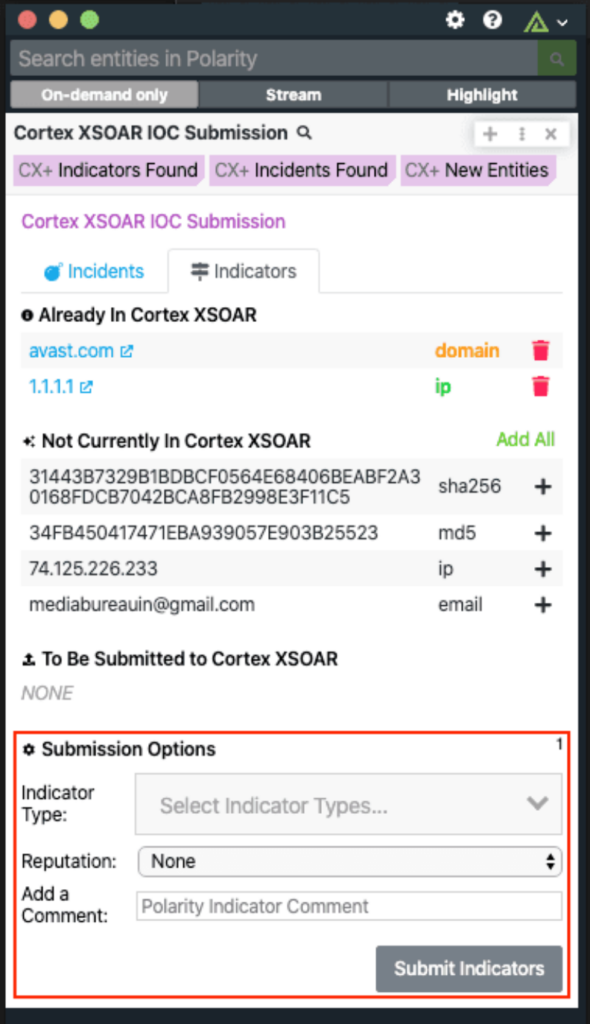
Creating Indicator: If an analyst is searching for an indicator that is not currently in Cortex XSOAR, analysts can then quickly add the indicator to Xsoar. Allowing for quick triage and addition into the XSOAR platform.
Cortex XSOAR Data Overview – Create Incident
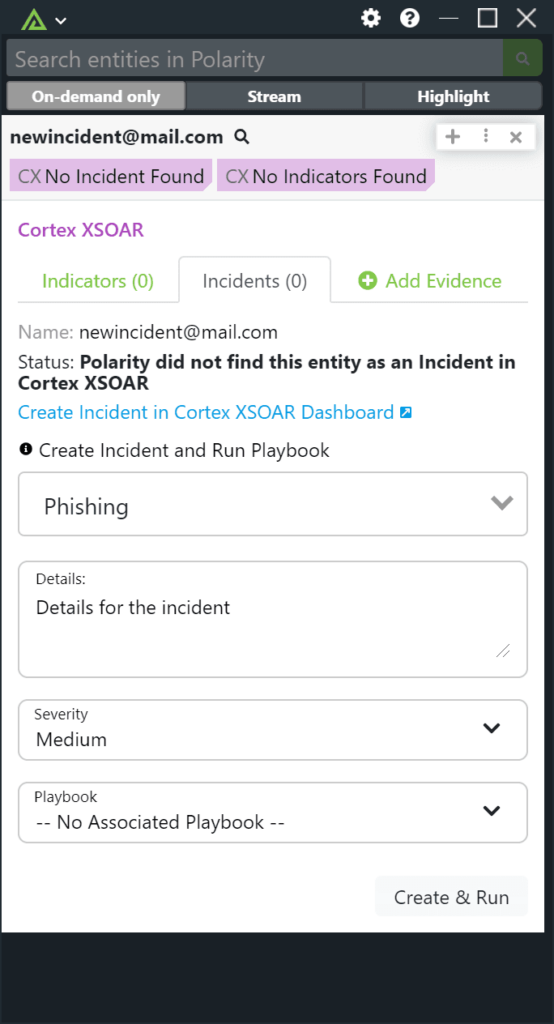
Creating Incident: If an analyst is searching for an entity that is not associated with an incident or is not in their Cortex instance, they can quickly take actions and create or associate an entity with an incident. Allowing analysts to quickly triage anything that is happening in their environment.
Cortex XSOAR Data Overview – Add Evidence Information
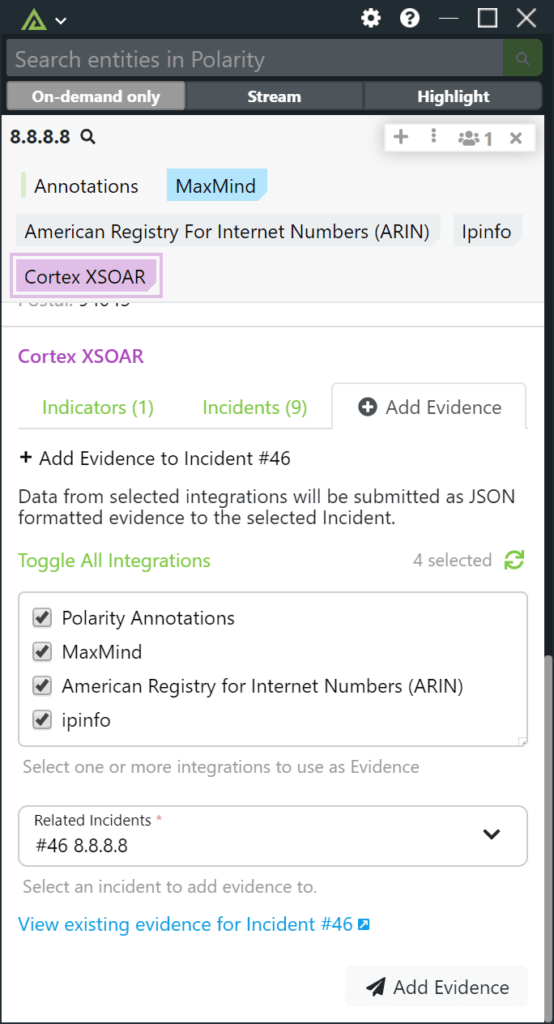
Add Evidence: Analysts can now also quickly add evidence to existing incidents. When looking at the Add Evidence tab in the integration, analysts can now quickly select integrations that have information they want to add as evidence and send it to an incident. Easily adding in additional context to incidents to help with research and close out incidents quickly.