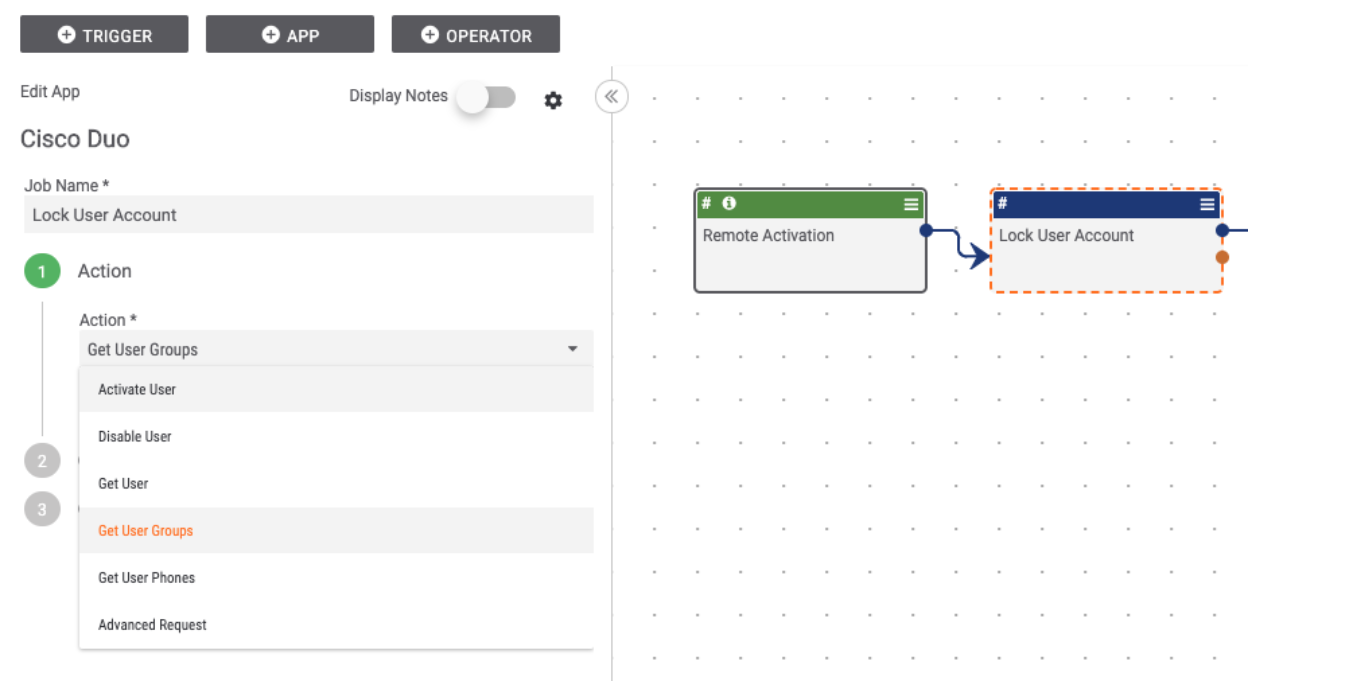
With the Cisco Duo Playbook app, you can automate processes during an internal security investigation when it’s critical to quickly get user information or suspend users involved with a security incident. The following actions are available:
- Activate User – Activate a user account that was previously in an “disabled” or “locked out” state. Requires ‘Grant write resource’ API permission.
- Disable User – Disable a user account that was previously in any other state. Requires ‘Grant write resource’ API permission.
- Get User – Return the single user with user_id. Requires ‘Grant read resource’ API permission.
- Get User Groups – Returns a list of groups associated with the user with ID user_id. Requires ‘Grant read resource’ API permission.
- Get User Phones -Returns a list of phones associated with the user with ID user_id. Requires -Grant read resource- API permission.
The app allows you to do things like:
- Get user account information, including Groups and Applications the user has access to. This information can be used for making automated decisions about the next steps to take in the investigation as well as helping analysts have the information they need without having to collect it manually.
- Suspend a user’s account for a time period while an investigation takes place and analysts can confirm that the account is not compromised. This action can be automated as part of a Workflow or Playbook. Later in the process, the account can be unsuspended and the password can be reset automatically.
This listing can be found in the Dataminr App Catalog under the name Cisco Duo.